 Reachlee Docs
Contacts
Everyone who has commented, messaged or replied to you, what their status means, and what you can do with them.
Every person who interacts with your connected Instagram account or Facebook Page becomes a contact. Reachlee adds them automatically the first time they comment, send a DM, reply to a story or answer one of your automations. You never import or type contacts by hand.
Open Contacts in the sidebar to see them all in one table.
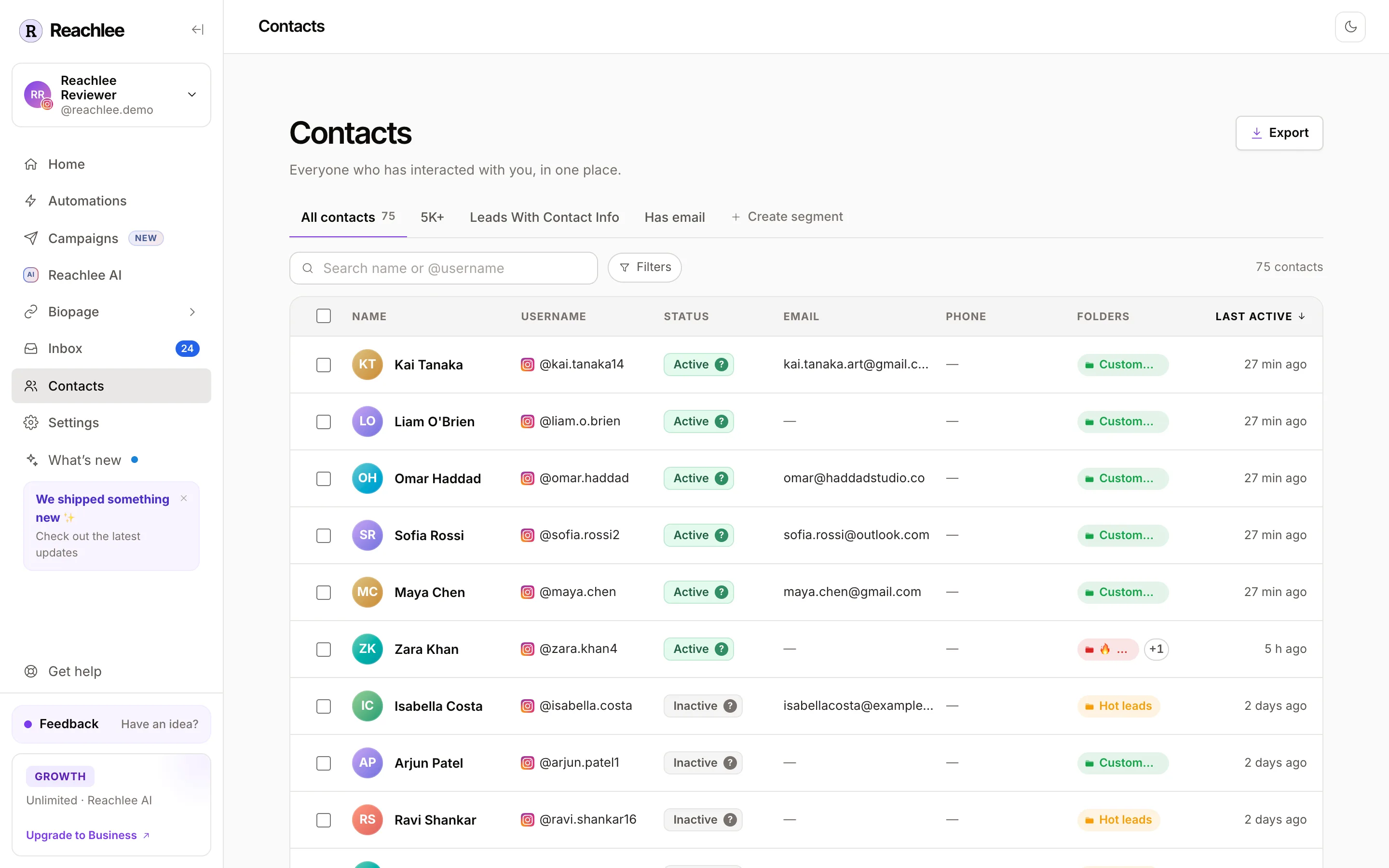
What each column tells you
| Column | What it shows |
|---|---|
| Name and Username | Their profile name and @handle. The icon shows which channel they came from. |
| Status | Whether you can DM them right now. See the next section. |
| Email and Phone | Filled in when they share one in a DM, through an automation or a campaign step. |
| Folders | The folders they're in. The + next to the chips adds or removes folders. |
| Last active | The last time they sent a message, comment or story reply. |
Click any header to sort. Click it again to reverse, and a third time to go back to the default order. Click a row to open the contact's details: their conversation, folders, captured info and activity.
Contact statuses
Meta only lets a business DM someone within 24 hours of that person's last message. The status answers one question: can you message this person right now?
| Status | Meaning | Can a campaign reach them? |
|---|---|---|
| Active | Messaged you in the last 24 hours. | Yes, right away. |
| Inactive | Their last message is more than 24 hours old. | Not right now. They become Active again the moment they write to you, and an open campaign reaches them then. |
| Pending | Has commented or interacted, but never sent you a DM. | No. Meta doesn't allow the first message to come from you. |
| Opted out | Asked to stop, or you opted them out. | Never. Automations and campaigns skip them. |
Hover the ? on any status pill to see the exact reason for that person.
Why commenters show as Pending
A comment is public, not a conversation. Your comment-to-DM automations can still reply to a fresh comment with a private reply, but a campaign can only DM people who have messaged you. That's Meta's rule for every tool, not a Reachlee limit.
Search, filters and segments
- Search finds people by name or @username.
- Filters narrow the table by activity, engagement, folders, status, follow status or contact info. You can also describe who you want in plain words and Reachlee fills the filters in.
- Segments are saved filters. They sit as tabs above the table and always show who matches today.
Full details are on Segments.
Bulk actions
Tick the boxes on the left, or the box in the header to select the whole page. A bar appears at the bottom.
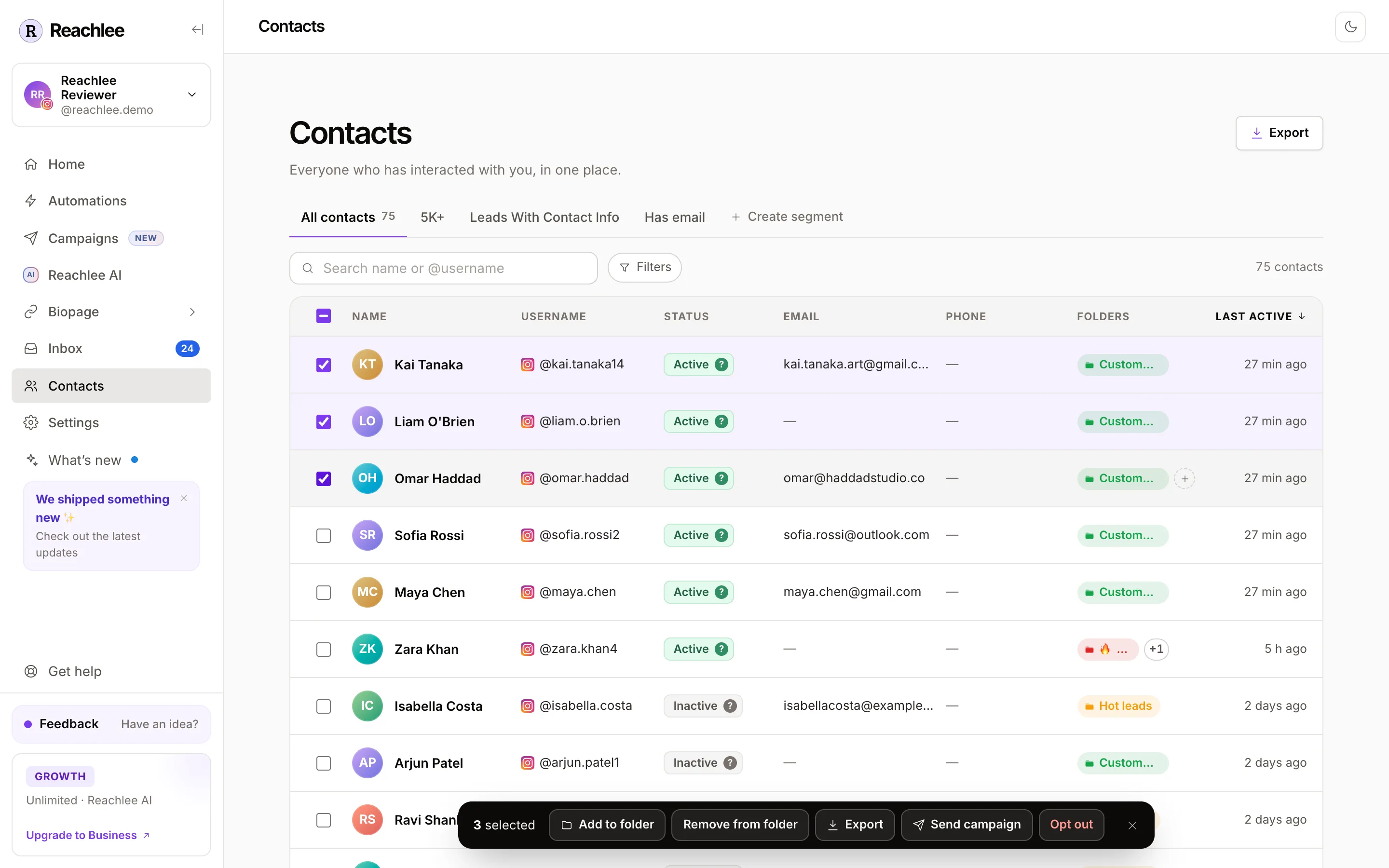
- Add to folder and Remove from folder organise everyone selected at once.
- Export downloads the selected people as a CSV.
- Send campaign starts a new campaign with exactly these people as the audience.
- Opt out stops all automated messages to them.
Export
Export at the top right downloads a CSV in one of three shapes:
- Meta Ads custom audience keeps only people with an email or phone, in the column names Ads Manager maps automatically.
- CRM & email tools is a list of emails ready for a newsletter or CRM import.
- Everything has every field Reachlee knows about each person.
Tick Only export contacts matching this view to export just the segment or filter you're looking at.