 Reachlee Docs
Organise campaigns
Campaign folders, searching and filtering the list, bulk actions, duplicating and deleting, and how campaign folders differ from contact folders.
The Campaigns page lists every campaign for the selected account, with its status, audience, messages sent, replies, clicks and creation date.
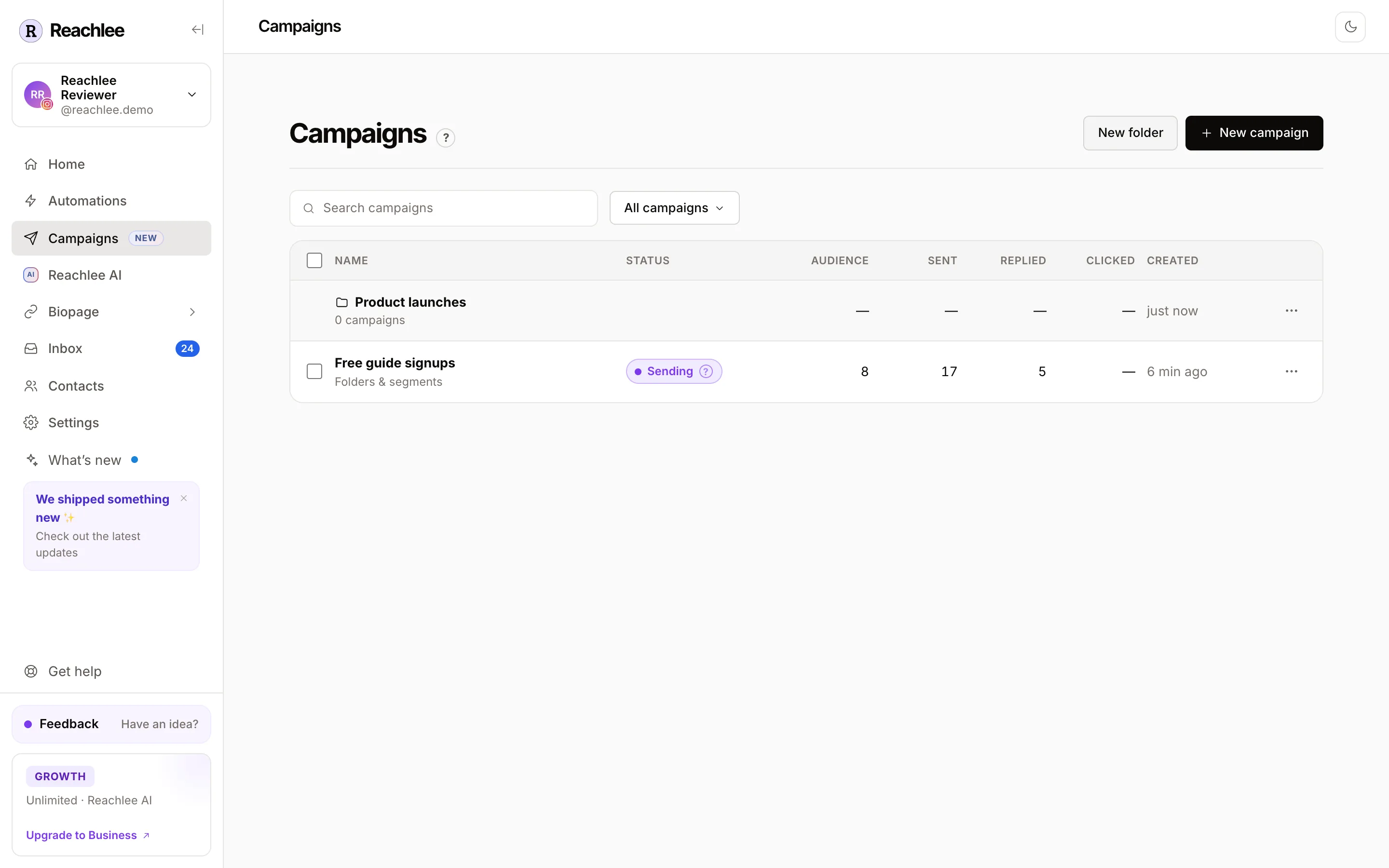
Campaign folders
Campaign folders keep a long list tidy, for example Product launches, Newsletter signups or Black Friday 2026.
- Create one with New folder at the top of the page.
- Move a campaign into a folder from its ⋯ menu, Move to folder, or select several campaigns and move them together.
- Open a folder by clicking its row. The folder row shows totals for every campaign inside.
- Rename or delete a folder from its ⋯ menu. Deleting a folder moves its campaigns back to the main list. No campaign is deleted.
Campaign folders vs contact folders
Reachlee has two kinds of folder, and they never mix.
| Contact folders | Campaign folders | |
|---|---|---|
| What's inside | People | Campaigns |
| Where you make them | Contacts page, the Inbox, a campaign's Add to folder step | New folder on the Campaigns page |
| Where they show | Contacts table, Inbox sidebar, filters, campaign audience | The Campaigns list only |
| Used for | Choosing who gets a campaign, organising conversations | Keeping your campaigns list tidy |
| Can be a campaign audience | Yes | No |
| Free plan limit | 3 | No limit |
A quick test: if you want to send to it, it's a contact folder. If you want to find a campaign in it, it's a campaign folder.
So if you want to send a campaign to your best customers, put those people in a contact folder called Customers from the Contacts page, then choose that folder in the campaign's audience. Making a campaign folder called Customers won't add anyone to the audience.
Find a campaign
- Search campaigns matches campaign names.
- The All campaigns menu filters by status: drafts, scheduled, sending, waiting, done or stopped.
Bulk actions
Tick campaigns on the left to select them. The bar at the bottom can move them to a folder, stop the ones that are sending, or delete them. Campaigns an action doesn't apply to are skipped, and the confirmation says how many.
Duplicate, stop and delete
From a campaign's ⋯ menu, or the editor's top bar:
- Duplicate makes a new draft with the same sequence, audience and rules.
- Stop ends a sending or waiting campaign. Its results stay.
- Delete removes a draft, done or stopped campaign. Stop a sending or waiting campaign first, and cancel a scheduled one's schedule. Deleting a campaign doesn't delete any contact, conversation or saved email.
Results
Read a campaign's numbers, follow every recipient, download the answers, and file the people who replied into a folder.
AI connector overview
Connect Claude, ChatGPT or any MCP-compatible assistant to Reachlee. Ask about your results across every account and let the assistant set up and manage automations for you.