
Reachlee now works in ChatGPT and ClaudeNow in ChatGPT and Claude: run your automations by askingConnect your assistantConnect
Reachlee
Get started

Reachlee
for Cursor.

Add Reachlee as an MCP server in Cursor and ask its agent about your automations, posts and leads.

https://www.reachlee.co/api/v1/mcp
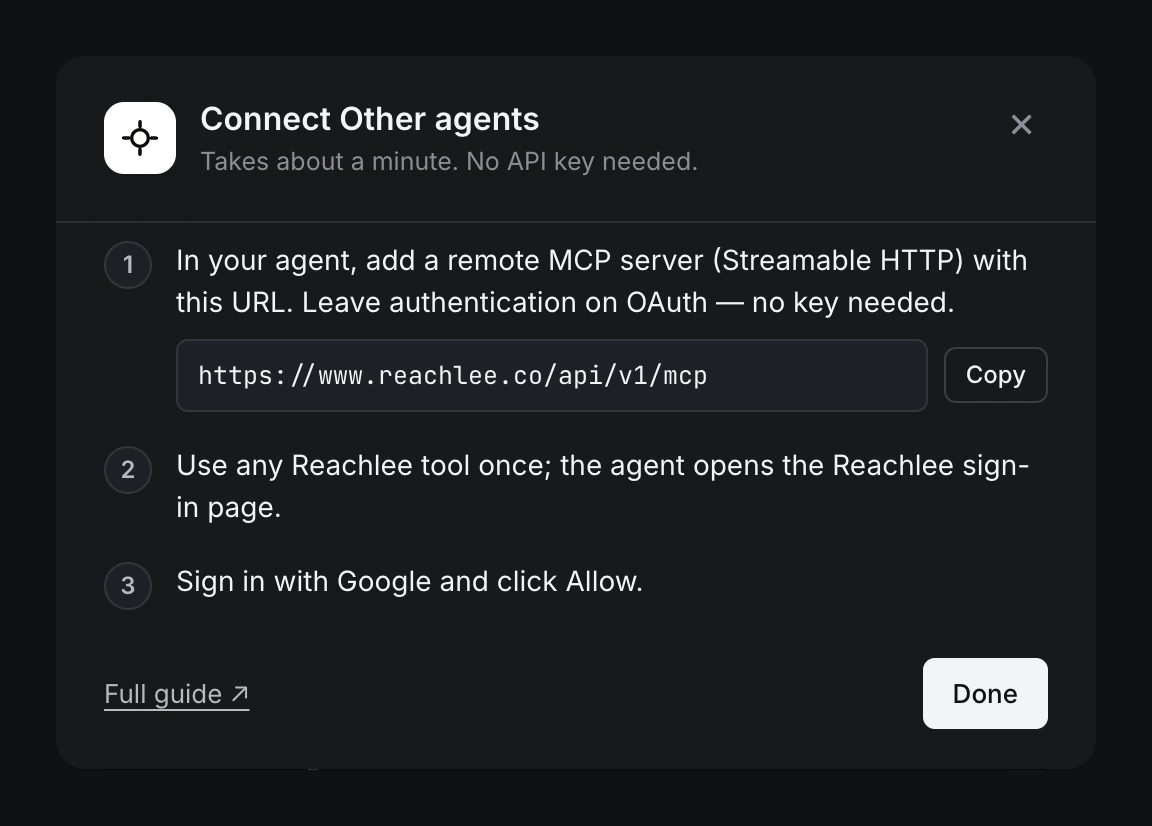
Setup guide
Reachlee's Connect other agents steps with the MCP server URL and a Copy button
The setup steps Reachlee shows for Cursor and other agents · 9 Nov 2026
How to connect

Connect Cursor.
About a minute.

$ https://www.reachlee.co/api/v1/mcp
STEP 01

Add the server

Open Cursor Settings → MCP → Add new MCP server, choose HTTP and paste the URL.
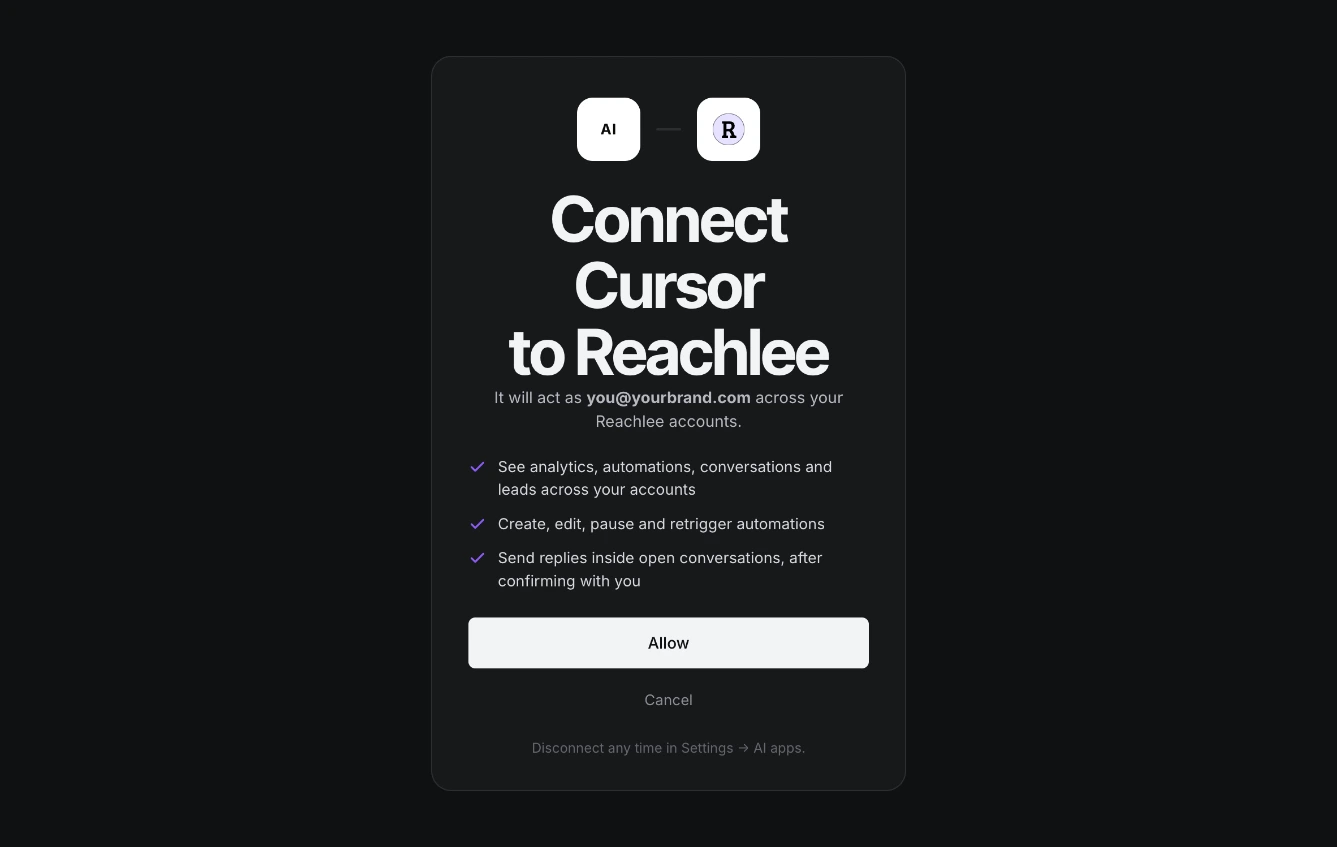
Reachlee's consent screen: Connect Cursor to Reachlee, with the three permissions and an Allow button
STEP 02

Sign in with Reachlee

Cursor opens the Reachlee sign-in page the first time it uses a Reachlee tool. Click Allow.

Which posts brought the most DMs in the last 7 days?
STEP 03

Ask

Write what you need in your own words. Cursor picks the right Reachlee tool and asks before anything changes.

Try it

What to ask Cursor.

Which posts brought the most DMs in the last 7 days?List my automations that are paused.Draft a comment-to-DM for the keyword DEMO on my latest post.
Manage it in Reachlee

Every connection in one place.

Settings → AI apps lists each assistant you connect, with when it was last used. Other agents covers Cursor, Gemini CLI and any MCP client. Disconnect one in a click.
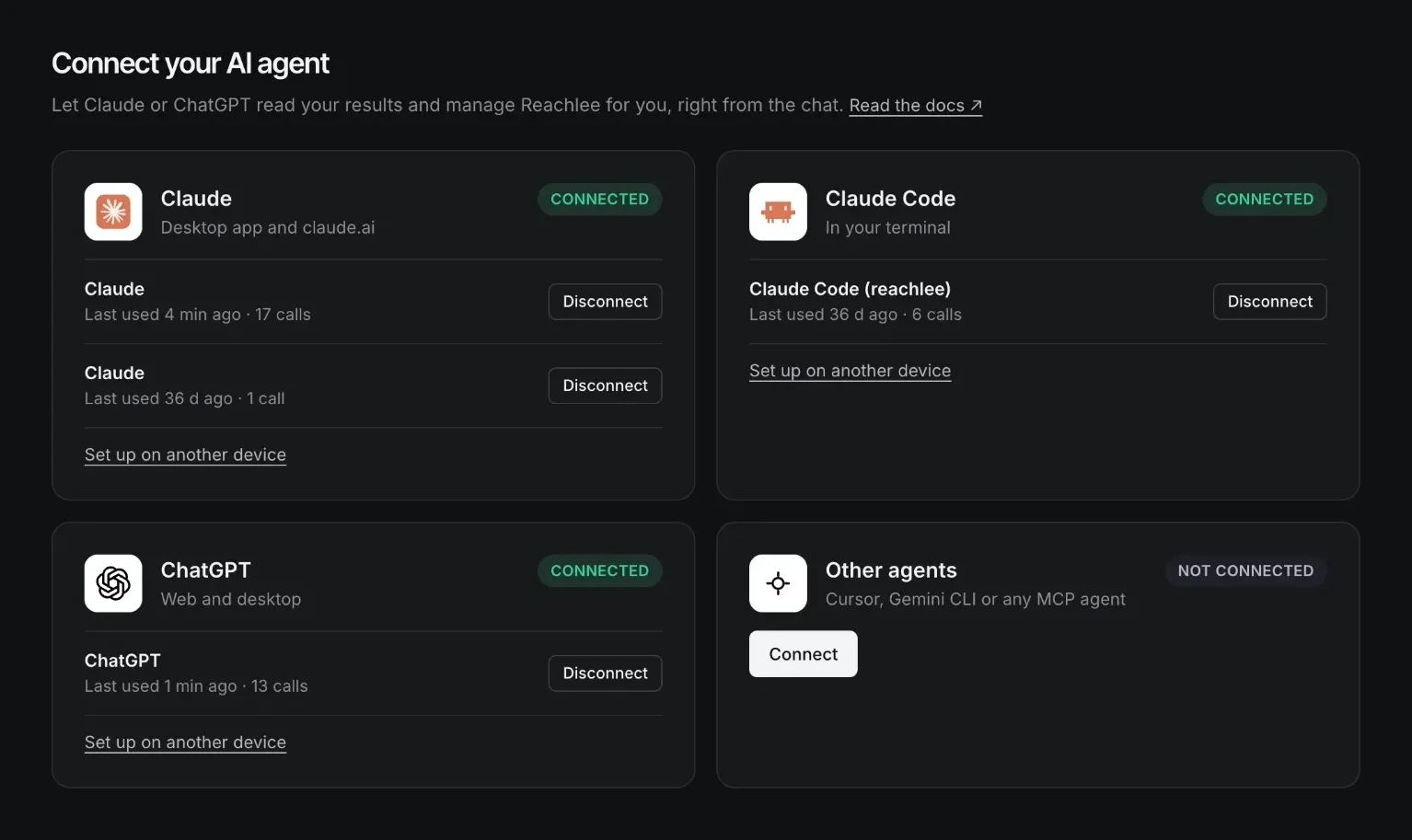
Reachlee Settings, AI apps: Claude, Claude Code and ChatGPT connected, each with a Disconnect button
What it can do

Ask in your own words.
16 tools do the rest.

Task
It reads
It changes
Ask it
Reports
DMs sent, comments answered, link clicks, reply rate and follower change, per account
Nothing, read only
How did my accounts do this week?
Best posts
Posts and reels ranked by click rate, DMs, clicks or comments
Nothing, read only
Which reels had the best click rate this month?
Automations
Every automation with its trigger, keywords, posts, messages and stats
Creates, edits, duplicates, pauses, resumes and deletes them
Set up a comment-to-DM on my next post for GUIDE
Fix and explain
Automations ranked by results, with the top reason comments were skipped
Nothing, read only
Why is my PRICE automation quiet?
Retrigger
Comments left before an automation existed
DMs those people, after a preview
DM everyone who already commented LINK
Inbox
Recent DM threads and whether the 24-hour window is open
Sends a reply inside an open thread, after a preview
Who asked about pricing today?
Leads
Contacts who shared an email or phone number
Nothing, read only
List this week's leads
Account safety

You stay in control.

  1. 01

    Sign in with Reachlee

    You approve access on Reachlee's own page with Google. The assistant never sees a password or an API key.

  2. 02

    It asks before changes

    Reading runs right away. Sending a message, a Retrigger or changing an automation is previewed and confirmed with you first.

  3. 03

    Instagram's rules still apply

    Every send goes through the same checks as the app: replies only to people who wrote first, inside the 24-hour window.

  4. 04

    Disconnect any time

    Every connected assistant is listed in Settings → AI apps. Disconnect one and its access stops immediately.

FAQ

Cursor questions

Do I need an API key?

No. Reachlee signs you in with OAuth, so there is no key, client id or header to manage.

Other assistants

Use Reachlee from any AI.

Reply to every comment.
Capture every lead.
In your sleep.

Free to start, no card needed. Set up your first automation in under a minute.

Built on Meta's official API · Cancel anytime